Most people don’t know what they did last week, let alone three months ago. They rely on memory to decide how much weight to lift. Memory is notoriously unreliable. This is why a workout tracker app is one of the most underrated tools in fitness. A workout tracker app removes guesswork and makes progressive overload systematic.
A workout tracker app isn’t just about logging numbers. It’s about making progressive overload—the single most important principle for building strength and muscle—automatic and systematic.
Are You Training Blind? The Cost of Not Tracking Workouts
Before smartphones, lifters used notebooks. Some still do. While better than nothing, pen and paper has serious limitations.
The problems:
- Your notebook sits at home while you’re at the gym
- You forget to write things down
- Your handwriting becomes illegible
- You can’t easily search for past workouts
- You can’t visualize trends over time
- You can’t hold yourself accountable to progressive overload
Without a clear record of what you’ve done, you can’t systematically increase the demands on your body. You’re guessing, not progressing.
Why Memory Isn’t Enough
Your brain is great at many things. Remembering exact weights and reps from weeks ago isn’t one of them.
Here’s what happens without a workout tracker app:
- You do 5 reps of bench press at 185 lbs
- Two weeks later, you think you did 5 reps at 185 lbs, so you try 190 lbs
- But you actually did 6 reps last time, so you’ve regressed
- You don’t realize it because you didn’t track it
- You feel discouraged and think you’re not making progress
This scenario plays out thousands of times a day in gyms worldwide. A workout tracker app eliminates this problem entirely.
What a Workout Tracker App Actually Does
A workout tracker app is more than just a notebook replacement. It’s a system for applying progressive overload systematically.
How a Workout Tracker App Enables Progressive Overload
Progressive overload means gradually increasing the demands on your muscles. It’s not complicated in theory, but it’s incredibly easy to mess up in practice.
A workout tracker app removes the guesswork. It shows you:
- Exactly what weight and reps you did last time
- The trend over weeks and months
- What your next target should be
This transforms progressive overload from random effort into a systematic process. And systematic progress is the fastest path to results.
Accountability: Why a Workout Tracker App Keeps You Consistent
Logging every workout creates accountability. You can’t fudge the numbers. You can’t pretend you did more than you actually did.
When you open your workout tracker app and see that you only did three workouts last week instead of four, it’s a wake-up call. This accountability is what separates people who make progress from people who spin their wheels.
Research shows that users who track their progress experience significantly higher adherence and motivation.
Using Your Workout Tracker App Data to Improve
A good workout tracker app doesn’t just store data, it helps you use it.
Over time, you can see:
- Which exercises you’re strongest in
- Which movements plateau quickly
- How volume (total reps × weight) has changed
- Recovery patterns
- Consistency trends
This data allows you to make informed decisions about your training, not guesses.
What to Track in Your Workout Tracker App
Not everything needs to be tracked. Focus on what matters.
Essential Metrics to Track in Your Workout Tracker App
These are non-negotiable:
- Exercise name (e.g., “Barbell Bench Press”)
- Weight lifted (in lbs or kg)
- Reps completed (e.g., 5 reps)
- Sets performed (e.g., 3 sets)
Example entry: “Barbell Bench Press: 3 sets x 5 reps @ 185 lbs”
This is the minimum data needed to track progressive overload.
Optional Metrics for Your Workout Tracker App
If you want to go deeper, a workout tracker app should allow:
- RPE (Rate of Perceived Exertion): How hard was that set? (1-10 scale)
- Rest time: How long did you rest between sets?
- Notes: “Felt strong today,” “Elbow was sore,” “Used pause reps”
These optional metrics help you understand how you’re progressing, not just that you’re progressing.
How to Use a Workout Tracker App on PersonalGO
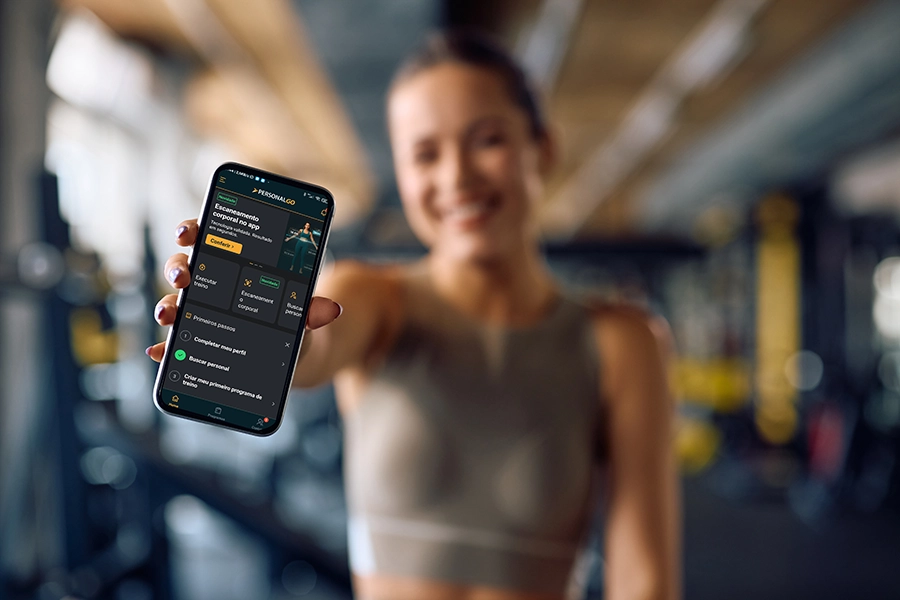
PersonalGO’s workout tracker app is built to make logging simple and progress obvious.
Logging Your Workout
During your workout:
- Open PersonalGO and select the exercise you’re about to perform
- After each set, you log three things:
- Weight lifted (in lbs or kg)
- Reps completed
- Optional comments
- Repeat for each exercise in your session
Why this matters: You are building a complete record of your effort. This data is what drives progress.
Bonus: PersonalGO’s exercise library (4,000+ videos) shows you proper form for every movement. If you’re unsure about an exercise, watch the video before your set.
Tracking Your Progress Over Time
After your workout:
- PersonalGO shows a summary of your session
- Your logged data is stored and visible in your history
If you’re working with a trainer:
This is where the real magic happens. Your trainer receives your workout history automatically in PersonalGO and:
- Analyzes your progress data
- Identifies patterns (which exercises are improving, which are plateauing)
- Makes informed program adjustments based on your actual performance
- Provides guidance on what to do next
Your trainer has the expertise to interpret your data correctly and make adjustments that keep you progressing safely.
Optional: If you’re on PersonalGO’s Premium Plan, use the AI Body Scanning feature monthly to track body composition changes. Share these results with your trainer for a complete picture of your progress.
Common Mistakes When Using a Workout Tracker App
Mistake 1: Logging Inaccurate Numbers
If you log 5 reps but only did 4, your data is worthless. Be honest. Partial reps don’t count. The goal is accurate tracking, not ego.
Mistake 2: Inconsistent Exercise Names
If you log “bench press” one week and “barbell bench press” the next, the app can’t track your progress. Use consistent naming. PersonalGO’s library solves this by providing standardized exercise names.
Mistake 3: Not Reviewing Your Data
Logging is useless if you never look at the data. Spend 5 minutes per week reviewing your progress. This is where the magic happens.
Mistake 4: Expecting Immediate Progress
Progressive overload is gradual. You might add 1 rep per week or 5 lbs per month. This is normal and sustainable. If you’re adding weight every session, you’re probably not going deep enough on your sets.
Mistake 5: Tracking Too Many Metrics
Don’t overwhelm yourself. Start with weight, reps, and sets. Add optional metrics only if you have time and interest.
Download PersonalGO free and start tracking your workouts today. Your progress starts now.
References
[1] Schoenfeld, B. J. (2010). The mechanisms of muscle hypertrophy and their application to resistance training. Journal of Strength and Conditioning Research.
[2] Nuss, K., et al. (2021 ). Effects of motivational interviewing and wearable fitness trackers on motivation and physical activity: A systematic review. American Journal of Health Promotion.
[3] McAvoy, C. R., et al. (2025 ). 2026 ACSM Worldwide Fitness Trends: Future Directions of the Health and Fitness Industry. ACSM’s Health & Fitness Journal.
[4] Amagai, S., et al. (2022 ). Challenges in participant engagement and retention using mobile health apps: literature review. Journal of Medical Internet Research.
[5] Grand View Research. (2025 ). Fitness Apps Market Size & Share | Industry Report, 2033.